Mark B / Scooter Davenport Posted March 17, 2016 Author Posted March 17, 2016 Rhuebottom's is coming along! Untitled by mommydawn2000, on Flickr Spike and Hobie Hartkins 2 Quote
Mark B / Scooter Davenport Posted March 17, 2016 Author Posted March 17, 2016 Untitled by mommydawn2000, on Flickr Untitled by mommydawn2000, on Flickr Untitled by mommydawn2000, on Flickr Untitled by mommydawn2000, on Flickr And a new soda machine for teh garage!:Untitled by mommydawn2000, on Flickr Hobie Hartkins and Spike 2 Quote
Mark B / Scooter Davenport Posted March 19, 2016 Author Posted March 19, 2016 Rhuebottoms getting some new lettering! CHARGER UK, Spike and Hobie Hartkins 3 Quote
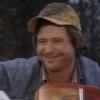
HossC Posted March 19, 2016 Posted March 19, 2016 Before anyone questions Mark's spelling, Rhuebottom's was sometimes misspelled Rheubottom's on the show, so the model is screen-accurate! Both spellings are visible in the screengrab below, which I first posted in the Hazzard Square thread. Hobie Hartkins and Mark B / Scooter Davenport 2 Quote
Mark B / Scooter Davenport Posted March 28, 2016 Author Posted March 28, 2016 (edited) Rhuebottom's General Store set to reopen soon! Untitled by mommydawn2000, on Flickr Untitled by mommydawn2000, on Flickr Edited March 28, 2016 by Mark B / Scooter Davenport Quote
Mark B / Scooter Davenport Posted March 30, 2016 Author Posted March 30, 2016 7 hours ago, RogerDuke said: UNBELIEVABLE! You are a true artist! Its just my way of having fun hanging out in Hazzard! M Quote
RogerDuke Posted March 30, 2016 Posted March 30, 2016 And we're the lucky ones who get to hang out and enjoy it. I really appreciate you sharing all these pictures. Your skills truly are amazing! Hobie Hartkins 1 Quote
Hobie Hartkins Posted April 4, 2016 Posted April 4, 2016 On 3/30/2016 at 11:18 AM, RogerDuke said: And we're the lucky ones who get to hang out and enjoy it. I really appreciate you sharing all these pictures. Your skills truly are amazing! Amen...my thoughts exactly!! You have tremendous talent!! Quote
justinpcoltrane Posted April 13, 2016 Posted April 13, 2016 Now you should try doing the square from the Georgia episodes Quote
Roth Potter Posted April 13, 2016 Posted April 13, 2016 He's gonna need to build tree's for that, Is that possible in that scale? I'm building tree's for my H0 train layout myself, it takes some time but man are they beautiful. Quote
Hobie Hartkins Posted April 15, 2016 Posted April 15, 2016 How about doing one of the Boar's Nest? Quote
Mark B / Scooter Davenport Posted April 15, 2016 Author Posted April 15, 2016 10 hours ago, Hobie Harkins said: How about doing one of the Boar's Nest? That may be next... Quote
justinpcoltrane Posted April 16, 2016 Posted April 16, 2016 On 4/13/2016 at 4:19 PM, Roth Potter said: He's gonna need to build tree's for that, Is that possible in that scale? I'm building tree's for my H0 train layout myself, it takes some time but man are they beautiful. It would be a unique challenge Quote
Mark B / Scooter Davenport Posted April 17, 2016 Author Posted April 17, 2016 On April 13, 2016 at 5:19 PM, Roth Potter said: He's gonna need to build tree's for that, Is that possible in that scale? I'm building tree's for my H0 train layout myself, it takes some time but man are they beautiful. I already have trees on the model- one is the big shade tree to the left of the garage. justinpcoltrane 1 Quote
Boss JD Hogg Posted April 23, 2016 Posted April 23, 2016 (edited) On October 4, 2015 at 1:31 PM, Mark B / Scooter Davenport said: This will be the newest addition to the Hazzard Garage fleet! Anyone who follows HossC's research will know that this particular configuration isn't actually a wrecker that appeared during the series, but to the casual viewer (or even most hard-core fans), you would never know it. It combines elements of several wreckers seen in the series, but isn't a match for any one vehicle. It is, however, a match to the wrecker that you will find if you visit the Cooter's Place in Nashville. That particular wrecker also appears on all the merchandise sold at the Cooter's Place museums and website. So I figured since my garage model will be at the Gatlinburg Cooter's for this month's Hazzard Run, I should have their tow truck parked out front. I combined parts from two different model kits, but had to scratch build most of the rear towing rig to match the pics I took of the real thing in Nashville this past January (I can't believe I thought ahead to take that many pics!). Untitled by mommydawn2000, on Flickr Untitled by mommydawn2000, on Flickr Untitled by mommydawn2000, on Flickr Mark, Which kits did you use to build this wrecker? Edited April 23, 2016 by Boss JD Hogg Quote
Mark B / Scooter Davenport Posted April 23, 2016 Author Posted April 23, 2016 24 minutes ago, Boss JD Hogg said: Mark, Which kits did you use to build this wrecker? The cab is an AMT Crewchief Blazer and the wheels/chassis if from the Revell '77 GMC Wrecker. The rear body and tow rig are scratch built, but I used a couple pieces from the Revell wrecker kit. Quote
Mark B / Scooter Davenport Posted May 1, 2016 Author Posted May 1, 2016 Getting the street around Rhuebottom's painted. I'm trying to get that 'Georgia Clay' look to things without deviating too much from how the Warner Brothers backlot location looked. Untitled by mommydawn2000, on Flickr Quote
Roth Potter Posted May 1, 2016 Posted May 1, 2016 Very nice! I'm wondering though. Is the paint shop on your model also gonna a facade like the real one or is it gonna be a full building? Quote
Mark B / Scooter Davenport Posted May 1, 2016 Author Posted May 1, 2016 55 minutes ago, Roth Potter said: Very nice! I'm wondering though. Is the paint shop on your model also gonna a facade like the real one or is it gonna be a full building? I'm treating these buildings as "real", so ice had to come up with some logical and fun ideas for the rear. However I'm not doing interiors like the garage. Roth Potter 1 Quote
Mark B / Scooter Davenport Posted June 24, 2016 Author Posted June 24, 2016 Untitled by mommydawn2000, on Flickr Untitled by mommydawn2000, on Flickr Untitled by mommydawn2000, on Flickr Untitled by mommydawn2000, on Flickr Untitled by mommydawn2000, on Flickr Flint Duke, Spike and CHARGER UK 3 Quote
Mark B / Scooter Davenport Posted June 24, 2016 Author Posted June 24, 2016 Untitled by mommydawn2000, on Flickr Untitled by mommydawn2000, on Flickr Untitled by mommydawn2000, on Flickr Untitled by mommydawn2000, on Flickr airdream, Spike, Andrea Como and 1 other 3 1 Quote
Roth Potter Posted June 26, 2016 Posted June 26, 2016 Awesome man! Didn't expect to see one of the Drive Carefulyl banners but it's nice! Such a Dirty general though, hope Cooter has a hose. Quote

Recommended Posts
Join the conversation
You can post now and register later. If you have an account, sign in now to post with your account.
Note: Your post will require moderator approval before it will be visible.