



Leaderboard
-
-
Anonymous320
MemberPoints7Posts -

-




Popular Content
Showing content with the highest reputation on 07/14/2025 in all areas
-
Rare and Behind the Scenes Pictures of the Dukes of Hazzard
RogerDuke and one other reacted to Anonymous320 for a post in a topic
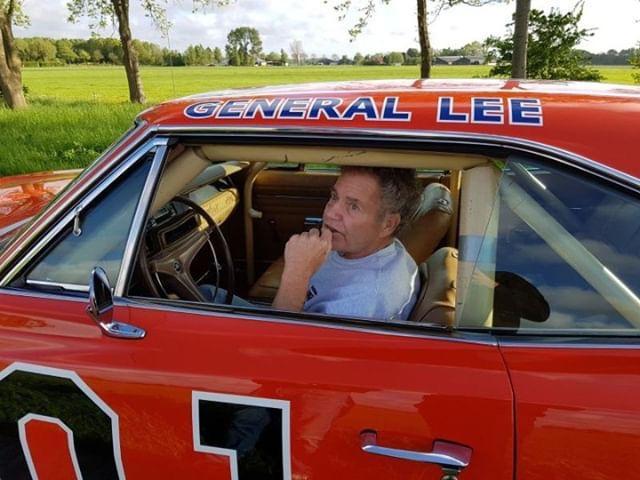
2 pointsRare photo is an understatement; The mythical "Billboard Car"2 points -
A-Z Game
Hobie Hartkins reacted to Boss JD Hogg for a post in a topic
1 pointThe number on the General Lee's doors is ZERO one.1 point -
A-Z Game
Boss JD Hogg reacted to HossC for a post in a topic
1 pointThe eXplosion destroyed five years of car magazines!1 point -
Word Association
Boss JD Hogg reacted to Spike for a post in a topic
1 pointCat One of the usual stray cats we feed my wife named Teddy because of her markings she looks like a mini bear lol.1 point -
Rare and Behind the Scenes Pictures of the Dukes of Hazzard
Skipper Duke reacted to HossC for a post in a topic
1 pointThere are still plenty of free image hosts around, but each has their own limitations. Here's one of many round-ups that I found. Most have a similar list of sites. https://www.bloggingtriggers.com/best-free-image-hosting-sites/1 point -
Rare and Behind the Scenes Pictures of the Dukes of Hazzard
Skipper Duke reacted to Spike for a post in a topic
1 pointAll limit you by either number of pictures or gb limit.1 point -
Rare and Behind the Scenes Pictures of the Dukes of Hazzard
Skipper Duke reacted to Mr. Lee for a post in a topic
1 pointI have 2 discs full of "behind the scene pics". Is there still a free image upload site so I can post stuff here?1 point -
Rare and Behind the Scenes Pictures of the Dukes of Hazzard
Skipper Duke reacted to Petraq Bero for a post in a topic
1 pointI LOVE LUKE❤️1 point -
Rare and Behind the Scenes Pictures of the Dukes of Hazzard
Skipper Duke reacted to RogerDuke for a post in a topic
1 pointGood thinking Spike.1 point -
Rare and Behind the Scenes Pictures of the Dukes of Hazzard
Skipper Duke reacted to Spike for a post in a topic
1 pointIt was probably due to having to add/shed weight or muscle for another role in either a movie or play he was in while not filming Dukes of Hazzard. He was in two tv movies in 1984 which were probably filmed in 1983.1 point


