CHARGER UK
Member
-
Joined
-
Last visited
Everything posted by CHARGER UK
-
Looks like a good kit. Look forward to seeing the finished article.
-
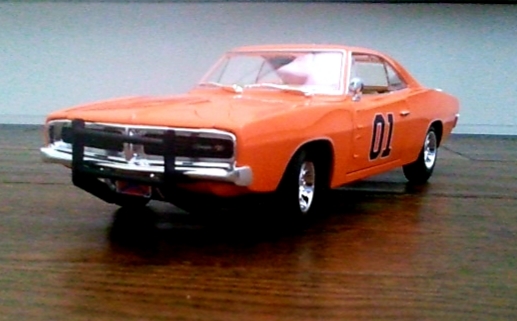
My 1/18 scale General Lee.
-
-
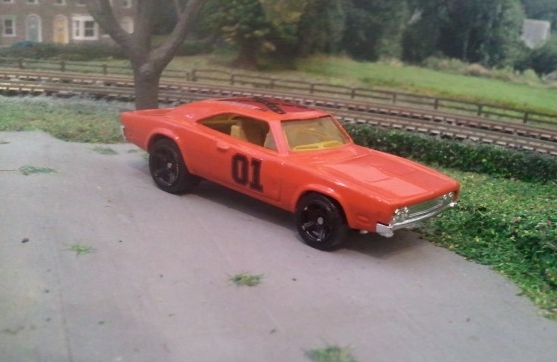
My 1/64 Hot Wheels conversion which I've done.
-
You certainly had some luck there then. Im in the process of converting a 1:18 scale Charger into a General Lee. I've repainted the interior and made a push bar for it. Im now waiting for the decals to arrive from the USA.
-
Wow !!!! Such fantastic attention to detail.
-
Superb detail. Excellent work.
-
These look excellent. It's just a shame that the postage on diecasts etc costs so much from the USA to the UK.
-
Fantastic work of art !!!! Have you got anymore Photos of it ?
-
This is absolutely fantastic !!! Well done !!!!
-
Thanks. My favourite car is the General Lee. I've been a fan of the Dukes since the early 80's. My favourite character is probably Daisy.
-
These Signs are brilliant.
-
Thanks I will have a look.
-
Ok thanks for looking. When you say detail shots do you mean the detail on the outside ? I will also need to find a god picture of the Boars Nest sign.
-
-
Thanks for the welcome. Yes a wide view of the Boars Nest is what I'm after. I've found a few but they don't show the whole of it.
-
Hi I'm looking for some face on pictures of the Boars Nest for the background of a model diarama which I'm going to make if anybody can help ?