





Meadowmufn
Administrator
-
Joined
-
Last visited
Everything posted by Meadowmufn
-
I was 3 that year! My two sisters and I all had red, white, and blue matching swimsuits that summer.
-
Yes, I believe they were. That was the major selling point. But, I think by the time Dukes ran on TNN, cable was showing ads.It's always a good time at the Boar's Nest.I haven't watched any yet, but been keeping an eye on the scores. I'll probably watch a few over the weekend. I'm not a huge soccer (or what most of the world calls football) fan, but I catch a game every so often when I'm at my sister's house. One of my nieces played soccer throughout high school and I watched her games.I saw that. It's hilarious.My new favorite thing is watching people from all over the world getting to experience the US for the first time while they're here for the World Cup. I especially love seeing the Tartan Army (seeing as I'm about half Scottish) and the folks experiencing the South (authentic BBQ anyone?). Boston has a large population with Scots-Irish ancestry, as does the South, so it's not surprising they're feeling like kindred spirits.It's been so long since I made those that I don't even remember the design!Well, I aced that quiz. I probably have tv to thank for that.Front side Back side

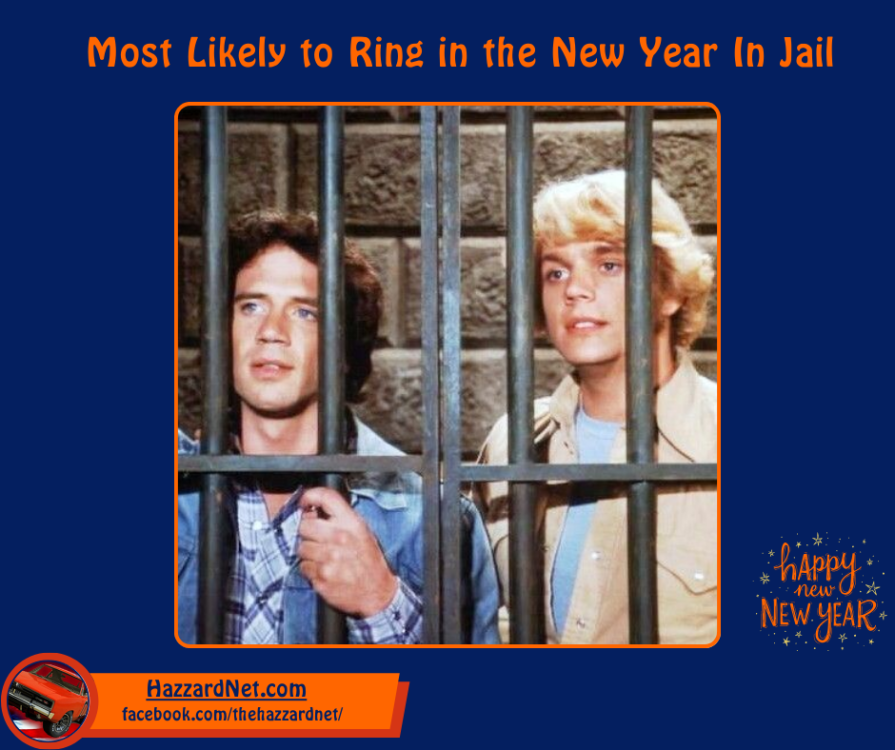
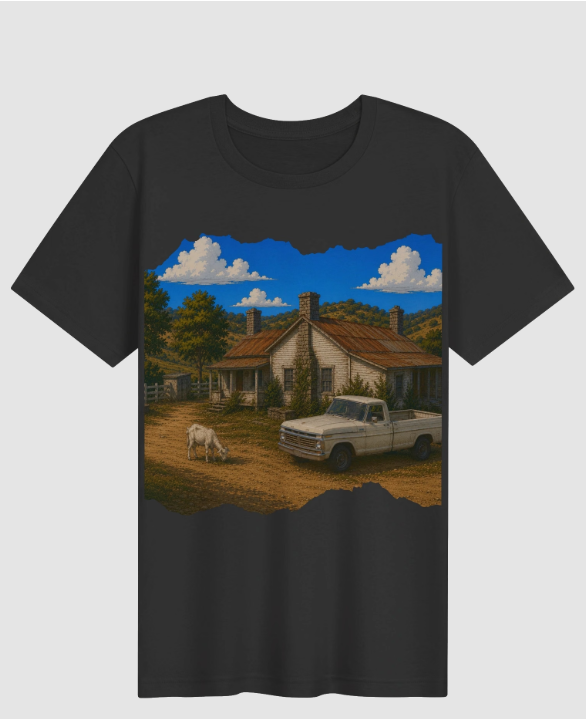 Glad you're ok, Roger!Ok, I think my calendar will be free to update the site sometime in July. Unless something changes to push it up, I'm looking at just after July 4th. Been super busy with lots of medical appointments (fortunately good news this time) and business-related stuff, so this fell off my radar. I think we agreed on a Wednesday or Thursday, so that would be July 8th or 9th.Someone who shall remain nameless (but enjoys a good beer ) recently asked if there was any merch they could buy to support HazzardNet. I have affiliate links around the site, but I didn't have any specific HazzardNet merch. Well, I made some. So far, there's a t-shirt, coffee mugs, and a beer glass for you-know-who. If you'd like to support HazzardNet and get some neat merch, you can buy here: https://hazzardnet-shop.fourthwall.com/Thanks for the warning, Hobie. I was about to appoint Roger as HazzardNet's official tech guy.I'm a night owl, so that won't be a problem. Mid-week it is. How about a Wednesday or Thursday around 2am my time? It'll probably be sometime this summer. I have a lot going on right now. Lots of doctor's appointments. If all goes well, the summer should be pretty quiet. Good time to do the update.The current version of the forum software will no longer be supported by the end of the year. I'm planning on upgrading to the next version before then. I'd like all your input on when the best day of the week/time I should do it and do you think a) the sooner the better or b) wait until later ? Looks like it will overall be a better experience and it looks like they have a mobile app too.Nope. Apparently an automated update was applied to the server and it borked the mysql service.Some of you may have noticed HazzardNet was down for a few hours today. The database wouldn't come up. Fixed it though. I bet Enos unplugged something important to plug in the coffeemaker. He didn't even leave me any donuts from the Busy Bee.I hope you all have a prosperous and blessed year in 2026!Whaddy'all think? Accurate?



























Important Information
By using this site, you agree to our Terms of Use and Privacy Policy.
Account
Navigation
Search
Configure browser push notifications
Chrome (Android)
- Tap the lock icon next to the address bar.
- Tap Permissions → Notifications.
- Adjust your preference.
Chrome (Desktop)
- Click the padlock icon in the address bar.
- Select Site settings.
- Find Notifications and adjust your preference.
Safari (iOS 16.4+)
- Ensure the site is installed via Add to Home Screen.
- Open Settings App → Notifications.
- Find your app name and adjust your preference.
Safari (macOS)
- Go to Safari → Preferences.
- Click the Websites tab.
- Select Notifications in the sidebar.
- Find this website and adjust your preference.
Edge (Android)
- Tap the lock icon next to the address bar.
- Tap Permissions.
- Find Notifications and adjust your preference.
Edge (Desktop)
- Click the padlock icon in the address bar.
- Click Permissions for this site.
- Find Notifications and adjust your preference.
Firefox (Android)
- Go to Settings → Site permissions.
- Tap Notifications.
- Find this site in the list and adjust your preference.
Firefox (Desktop)
- Open Firefox Settings.
- Search for Notifications.
- Find this site in the list and adjust your preference.