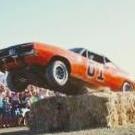
November 30, 20196 yr Hey y'all, Just realised John has been working on a new film coming out for the holiday season, Christmas Cars, it's inspired by his studio flood that happened a few years back, the General makes a cameo and there are lots of Dukes references along the way, the DVD is available on his website and a sneak peek on his official YouTube channel, anyway, I thought everyone might be interested. Thanks, Joe
November 30, 20196 yr Here's the trailer. It says it's been up since September 17th, and it's had over 400,000 views.
December 1, 20196 yr OK...I see who she is now...mighty fine! But as far as the show....think I'll pass! Edited December 1, 20196 yr by Hobie Harkins




Join the conversation
You can post now and register later. If you have an account, sign in now to post with your account.
Note: Your post will require moderator approval before it will be visible.