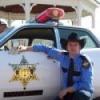
January 8, 201214 yr But i've been around awhile. Some of you may know me from other sites, I usually go by redneck but that was already taken here.I've built several patrol cars, http://www.cardomain.com/ride/3894702/1978-dodge-monaco, and i'm now working on an A-team van.I have a friend with a General and spent last summer chasing him around, http://www.youtube.com/user/Rosco83522?feature=mheeI went to Dukesfest '07 and hung with John Schneider last year at a local event.Well, that's just a short intro to some of the stuff I have done. Hope to make some new friends here and maybe hang with some of you in person over the years to come.C ya'll
January 9, 201214 yr Welcome to HazzardNet Rosco,y'all may notice we do things a little different here nice links btw
January 10, 201214 yr Welcome to HNet. I'm sure I came across your cardomain photos a few months back when I was looking for reference pictures for my Fan Art version of Rosco's patrol car. You made a really good job of the car, so I'm looking forward to seeing how the van turns out.
January 10, 201214 yr Author Thanks for the kind words everyone. I hope to share information and maybe learn more here on the site. I have a couple hundred behind the scenes photos i'd like to share with you as soon as I figure out where to post them.
January 10, 201214 yr Thanks for the kind words everyone. I hope to share information and maybe learn more here on the site. I have a couple hundred behind the scenes photos i'd like to share with you as soon as I figure out where to post them.Rosco, you can post them in our gallery: http://www.hazzardnet.com/gallery/We'll approve them ASAP.
January 11, 201214 yr Welcome to HNet! Enjoyed the photos of the '78 Monaco resto (good Lord, the body filler on that thing!! GAAHH!!) Nicely done!


Join the conversation
You can post now and register later. If you have an account, sign in now to post with your account.
Note: Your post will require moderator approval before it will be visible.