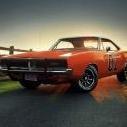
August 14Aug 14 Howdy y’all, not sure if anyone’s gonna be down this way during Labour Day weekend. But we’re putting on a car show and we would love to have any of y’all there! Was kinda hoping I could find someone with a General Lee on here locally cause this event has zero cover charge for vehicles to attend! It’s just a show n shine, meet up with likeminded folks and enjoy showing off your car or just enjoy the cars that are there. I hope the link works, the file was too big to post.. https://imgur.com/a/G8ul3qo This here is a link to the event poster with information. Thanks again y’all, Yee Haw! Tom
August 15Aug 15 To save you clicking the image link, the Facebook page says: Polish up those rides and come on down! Join us September 5th from 12–3 PM at the Cardinal Waterfront, 105 Legion Way for our Show & Shine! That's Cardinal, Ontario.




Join the conversation
You can post now and register later. If you have an account, sign in now to post with your account.
Note: Your post will require moderator approval before it will be visible.