Skip to content
View in the app

A better way to browse. Learn more.

Dukes of Hazzard Forums - HazzardNet.com

A full-screen app on your home screen with push notifications, badges and more.

To install this app on iOS and iPadOS
  1. Tap the Share icon in Safari
  2. Scroll the menu and tap Add to Home Screen.
  3. Tap Add in the top-right corner.
To install this app on Android
  1. Tap the 3-dot menu (⋮) in the top-right corner of the browser.
  2. Tap Add to Home screen or Install app.
  3. Confirm by tapping Install.

CNH3201

Member
  • Joined

  • Last visited

  1. Skipper Duke started following CNH3201
  2.    MoonRunner-01 reacted to a post in a topic: LUKE DUKE BEAR CLAW BUCKLE
  3.    RogerDuke reacted to a post in a topic: LUKE DUKE BEAR CLAW BUCKLE
  4. I’ve met Bo, Cooter, Enos, and Cletus
  5.    Hobie Hartkins reacted to a post in a topic: LUKE DUKE BEAR CLAW BUCKLE
  6.    RogerDuke reacted to a comment on a gallery image: 154935281_2938690466419588_8058558912790452213_n.jpg
  7. Thank you for the welcome! I have been a fan all of my life! I’ve always liked that buckle. There is a guy on here that has one very similar to it.
  8.    RogerDuke reacted to a post in a topic: LUKE DUKE BEAR CLAW BUCKLE
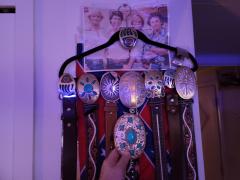
  9. Does anyone on here know what kind of buckle that was that luke wore in the first few seasons? The bear claw. I would love to have one.

Account

Navigation

Search

Search

Configure browser push notifications

Chrome (Android)
  1. Tap the lock icon next to the address bar.
  2. Tap Permissions → Notifications.
  3. Adjust your preference.
Chrome (Desktop)
  1. Click the padlock icon in the address bar.
  2. Select Site settings.
  3. Find Notifications and adjust your preference.