June 14, 201313 yr Hey y'all!As I've said in the last few posts I was going to be doing big exams soon. Well today I finished them! That means that I'll be back spamming HazzardNet with my weird bike creations. Only this time there's a twist! After my Granda died my uncle said I was probably going to get his car. So hopefully this summer I'll get it and get started on cleaning and repairing it.Anyway that's my news for now. I just want to say its great to be back!
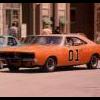
June 14, 201313 yr Welcome back to full-time participation, CD. I hope the exams went well.This might not mean anything to our friends across The Pond, or to someone your age, but when I saw the thread title I thought of this character .
June 18, 201313 yr I hope your exams went well CD. I'm sorry to hear about your grandfather.Welcome back!




Join the conversation
You can post now and register later. If you have an account, sign in now to post with your account.
Note: Your post will require moderator approval before it will be visible.