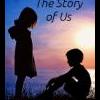
December 2, 201114 yr The Story of Us explores the history of Enos and Daisy from age 10 to the beginning of the series. It is mainly from Enos' POV, though many parts are from Daisy's POV, and delves into events from his childhood that shaped not only the people they came to be, but their relationship as well.The Story of Us is also the back-story for the novella, Beneath a Hazzard Moon, but both can be read as stand-alone stories.The Story of Us can be found here. Subsequent updates will be posted to this thread.
December 2, 201114 yr Author Update! Part V, Chapter one is now up! Thanks to everyone for their patience...Part V, Chapter 1
January 8, 201214 yr Author The next part of this story is now up! I decided the chapters were looking a little cluttered, so I named them all instead of just putting "Part so and so". I know I'm not done with "Before the Dawn", but there were some things I wanted to allude to in the last part of it that you wouldn't know unless you've read this next part of "The Story of Us" and I figured that might be a problem since I hadn't actually written it yet, lol.For lack of a better name, part VI is "Love and Other Misfortunes" and will have 2 chapters.Part VI, Chapter 1 (Love and Other Misfortunes, Part 1) ---> Link HERE
January 14, 201214 yr Author Love and Other Misfortunes, Part 2 is now up! (Chapter 10 of The Story of Us)Please take a moment to review on FF.net, it means the world to us writers!Find the link here!
May 15, 201214 yr Author Through a Glass; Darkly, Part 1 is now up! (Chapter 11 of The Story of Us)Remember, reviews are the sparks that light the flames in a writer's soul...Find the Link here!
May 25, 201214 yr Author Through a Glass; Darkly, Part 2 is now up! (Chapter 12 of The Story of Us)Remember, reviews are the sparks that light the flames in a writer's soul...Find the Link here!
July 28, 201214 yr Author Through a Glass; Darkly, Part 3 is now up! (Chapter 13 of The Story of Us)It's winding down here finally. I'm finishing up TSOU and then my next fanfic: Halls of Stone and Iron will be coming out. LINK HERE!
August 1, 201214 yr Author Hero of the Day, Part 1 is now up! (Chapter 14 of The Story of Us)Link here!
August 3, 201214 yr Author Hero of the Day, Part 2 is now up! (Chapter 15 of The Story of Us)Link here!




Join the conversation
You can post now and register later. If you have an account, sign in now to post with your account.
Note: Your post will require moderator approval before it will be visible.