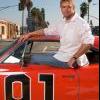
October 25, 201015 yr He he he!! One of the guys and I have a great idea, pimp our forklift. We have decided that we want to make it look like the General Lee, horn and all! I hope we get the chance to do it!
October 26, 201015 yr Awesome idea!Please don't try to jump it over any creeks with bridges out. We've gotten attatched to you and wouldn't want to lose you so early in your HazzardNet career.
October 26, 201015 yr Awesome idea!Please don't try to jump it over any creeks with bridges out. We've gotten attatched to you and wouldn't want to lose you so early in your HazzardNet career.Agreed! But when painting something up like the General, you gotta jump it over something... I smell a Photoshop project!! hee hee
October 27, 201015 yr How about a toy patrol car. You could recreate the time the Mean Green Machine jumped over Rosco's car. (I'm not sure if "jumped" is the accurate word here)
October 27, 201015 yr Author You guys are cracking me up!!!! I might have to photoshop that in somewhere! You just never know! He he he he he he he!!!!!!!!!
October 28, 201015 yr Make sure Cooter checks it out real good before the big jump. You never know if somebody might have tampered with the high performance fuel lines.
October 28, 201015 yr Author Make sure Cooter checks it out real good before the big jump. You never know if somebody might have tampered with the high performance fuel lines.I'll make sure to do that!


Join the conversation
You can post now and register later. If you have an account, sign in now to post with your account.
Note: Your post will require moderator approval before it will be visible.