Skip to content
View in the app

A better way to browse. Learn more.

Dukes of Hazzard Forums - HazzardNet.com

A full-screen app on your home screen with push notifications, badges and more.

To install this app on iOS and iPadOS
  1. Tap the Share icon in Safari
  2. Scroll the menu and tap Add to Home Screen.
  3. Tap Add in the top-right corner.
To install this app on Android
  1. Tap the 3-dot menu (⋮) in the top-right corner of the browser.
  2. Tap Add to Home screen or Install app.
  3. Confirm by tapping Install.

kcowley1

Member
  • Joined

  • Last visited

  1. love me some Coy and Vance photos, shame they get such a hard time
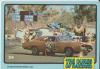
  2. I already have the card, I want to track down an 8x10 photo / 35 mm slide / or digital file of this particular scene.
  3. I am trying to track down this photo, can anyone help?
  4. I am a Hazzardnet newbie, but so far I like what I see.
  5. does anyone have a copy of the photo of the General Lee after the Carnival of Thrills Jump?

Account

Navigation

Search

Search

Configure browser push notifications

Chrome (Android)
  1. Tap the lock icon next to the address bar.
  2. Tap Permissions → Notifications.
  3. Adjust your preference.
Chrome (Desktop)
  1. Click the padlock icon in the address bar.
  2. Select Site settings.
  3. Find Notifications and adjust your preference.