tammy94
Member
-
Joined
-
Last visited
Everything posted by tammy94
-
My son is I believe one the the biggest DOH fans ever! That is all he talks ab out, writes papers about at school, and watches on TV. Which by the way I think is a good thing! Anyway he found this song on you tube and is wanting to download it or buy it and I can't find it anywhere else. I think its called "Carrying on like we did before" I hope someone can help me!! He has been asking everyday if I have got it. Thank you so much
-
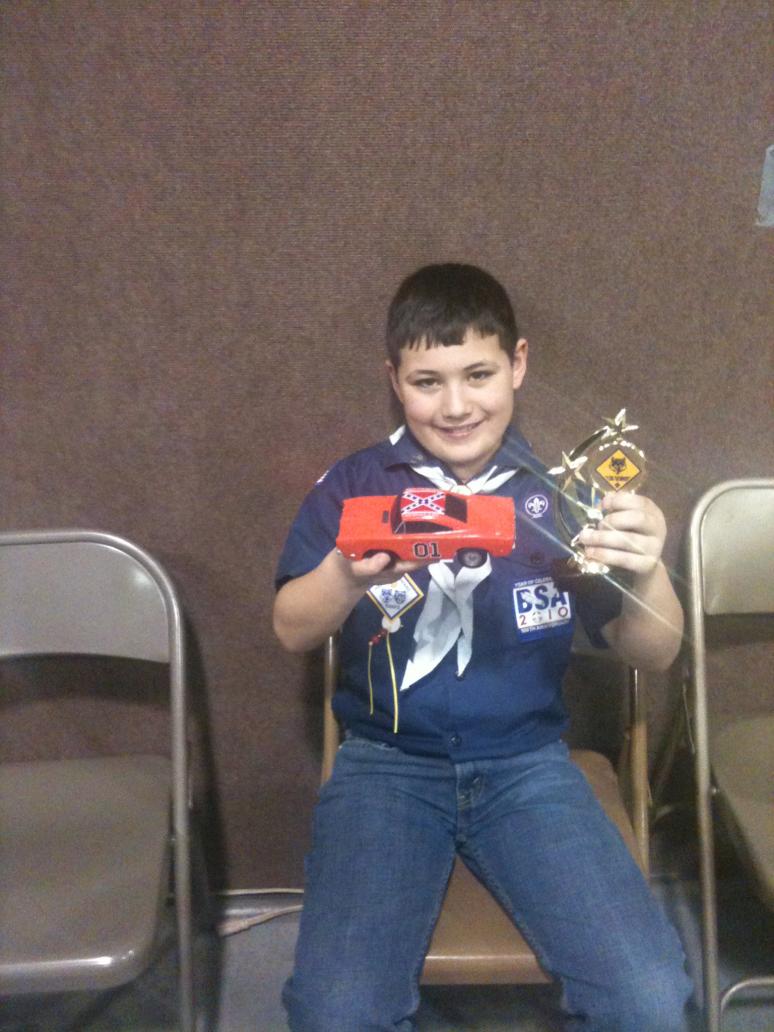
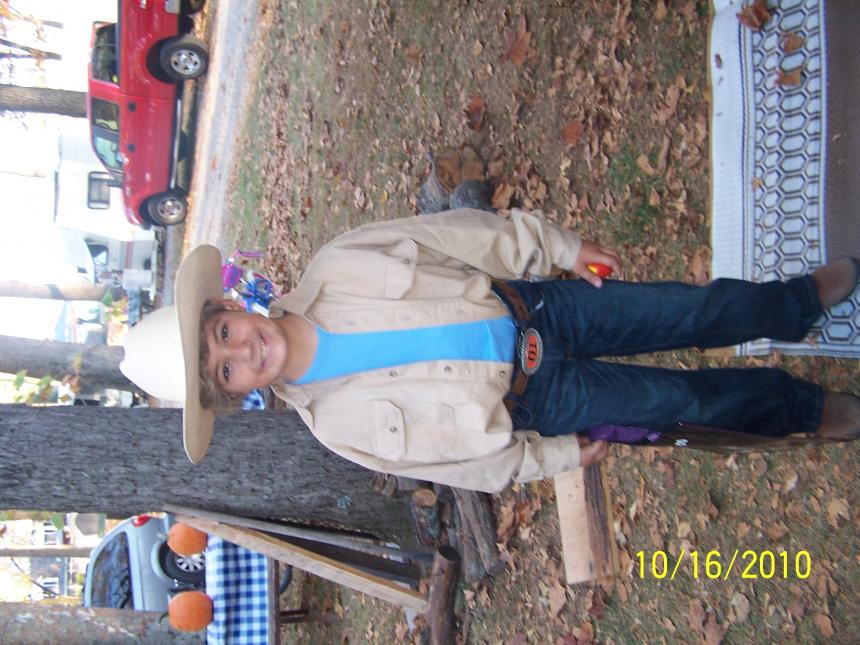
Thank you for the tips on posting pictures.. Here are a few from the pine wood derby and I thought I would add on of my son dressing up as Bo Duke at Halloween last year

-
Hello everyone! Of course I am a fan of the Dukes but I have a 9 year old who absolutely loves the Dukes! He started watching them about 5 years ago and I thought maybe it was a phase but boy was I wrong! He recently made a General Lee pine wood derby car and won first place. I was hoping there was somewhere on this website I could post the pictures His absolute dream would be to meet any of the cast. I bet he says Yee-Haw 50 times a day! And thats the ONLY thing he will watch. I do believe his love of the Dukes of Hazzard is here to stay!! Hopefully I can take him to meet them someday. I wish they were still having the Dukesfest ..... Have a great day everyone!!