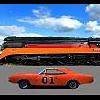
April 5, 200719 yr Hey, does anyone know if Lee 1 would be a Dukesfest 2007?Because I maybe going and I would love too see it! Also, are there any other "REAL" General Lees which go to Dukesfest?This topic should be in both General Lee and Dukesfest Forums.Thanks A Bunch Yall!
April 18, 200719 yr Also, can anyone confirm reports I heard that they decided to NOT keep it in it's beat-up condition and restored it?
April 18, 200719 yr Yep it's restored which I was totally against.I still feel it should have been preserved the way it was.Marvin the guy who owns it now is on this message board so I'll be as respectful as possible.Marvin I'm sorry but in my opinion Lee 1 now is just a replica with very,very few original parts on it.It would be like me using my pair of authentic General Lee tail lights in my car and try and pass it off as one used on the show. Lee 1 to me has lost all historical value in my opinion because maybe only 5% is the same car that was seen on TV.No offence Marvin it was your money and choice to restore it which is your right.It is very nice now and appreciate the dedication to make it so nice but to me it just isn't the same car. Just like say the Mona Lisa got defaced some how and the got someone to fix it exactly the way it was.It just isn't the Mona Lisa anymore.


Join the conversation
You can post now and register later. If you have an account, sign in now to post with your account.
Note: Your post will require moderator approval before it will be visible.