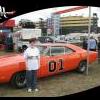
February 3, 201214 yr hi guys, I almost dream about add more theme song last night.. oh boy.. opening theme:Hello Hazzard County Square townfolk, that quiet and no trouble at all, then show around the town square then I almost add for few like Mis tizdale shown with her PO BOX and motorcycle around town then Lulu Hogg's Boss wife and Rosco's sister, she dressing and shown her own way but both shown her real name and under real name as character name, then Cooter's place Hazzard Gargage then Cooter Davenport with his truck next his place with real name, then Daisy Dukes with Boar's Nest and by her jeep, with her name then Jesse Dukes by his outside house with his truck with his name, then Bo Dukes do his own way then Luke Dukes same his own way with name, then Deputy Enos with his car drive and with daisy with name then Rosco Coltrane with Flash his dog near new sheriff building not old one with name then Boss Hogg with Boar's Nest and his car with name then last to close theme is when Sheriff Rosco chase Dukes around town to leaving.. not come back... into town... where Rosco get stuck last.......... Sheriff said "dang you dukes", then Dukes laugh and drive off......... to home..... to end.what you think of that. I been bit add that like Tizdale and Lulu in as well.. I wish make this picture or video edit like that... oh well. I just make fun for you to be and hope enjoy that one and hope you like that or not. because my dream to be last night. thanks enjoy




Join the conversation
You can post now and register later. If you have an account, sign in now to post with your account.
Note: Your post will require moderator approval before it will be visible.