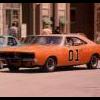
November 27, 201114 yr Hey y'all.I've been looking for this episode and finally found it!! To any Family Guy fans y'all are gonna love this.Dukes and Family Guy together!!What could be better?Anyway here's the link to the Family Guy episode entitled To Love and Die in Dixie!!http://watchberry.com/family-guy-season-3-episode-12-to-love-and-die-in-dixie/?sr=1Enjoy!!
November 27, 201114 yr Thanks for the link CD. This episode has managed to elude me until now. I even borrowed several seasons of Family Guy on DVD from a friend of mine, and this disc was scratched and unwatchable . There's more than just a passing reference to Dukes, and they even got Waylon for one of his last appearances. I also liked the Jeff Foxworthy joke (it wasn't actually Jeff). Before I joined HNet I wouldn't have known who he was.If anyone is unfamiliar with Family Guy's sense of humor, be warned. The DVDs carry a '15' age certificate over here.
November 28, 201114 yr I caught this episode on Netflix awhile back. While Family Guy isn't my usual brand of humor, their Dukes references/parody cracked me up. I couldn't get the above link to work. If anybody else is having trouble and wants a brief sample of the episode, I found this clip on YouTube:
November 28, 201114 yr The Family Guy is an American animated television series, if someone like the Family Guy, please visit the site.Family Guy Onlinehttp://www.familyguyonline.com/
December 14, 201114 yr There was also another Doh reference in the showpeter was playing the claw game and the claw took his watchthen another kid came and played the claw game and won the watch and the kid was like"What's the dukes of Hazzard"
December 14, 201114 yr Yes, Emy-Rae Duke.The episode is Chitty Chitty Death Bang and here's the link:IMDB: Family Guy - Chitty Chitty Death Bang




Join the conversation
You can post now and register later. If you have an account, sign in now to post with your account.
Note: Your post will require moderator approval before it will be visible.