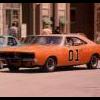
December 8, 201114 yr Hey y'all. Most of you probably know all about Wayne Wooten and the 1991 Warner Brothers deal with the leftover chargers. While I was researching this topic I came across something that I haven't been able to verify. The story goes that when Dukes was cancelled Tom Sarmento and his crew left Valencia in a matter of days,leaving behind cars in various states of disrepair (one charger was even left on jackstands with its wheels off!!) And one car they only bought was left behind as well. Apparently it was a blue 1969 charger with a white vinyl top (i think it was white anyway).Its interior had been dyed light tan and the side markers and reverse lights had been filled in. Apparently this car was in the process of replacing Wayne's close up Lee,because it was becoming "raggedy". I've seen a few black and white pictures from a newspaper article about the '91 deal,and there's definately a stock charger on one of the car carriers. Another version of the story about the blue charger is that it was a General and after Dukes was repainted for a new series that never ran. Personally I don't believe this,as the car was already 16 years old,and wouldn't be as easy to replace as a newer car. And despite searching far and wide, I was never able to find the name of the new series,or any actors that were in it.So can someone verify these stories for me? Thanks y'all




Join the conversation
You can post now and register later. If you have an account, sign in now to post with your account.
Note: Your post will require moderator approval before it will be visible.